ARCHITECTURAL LIGHTING CONTROL ON A NEW LEVEL

Sympholight

The tool to realise simple to highly sophisticated architectural lighting control projects

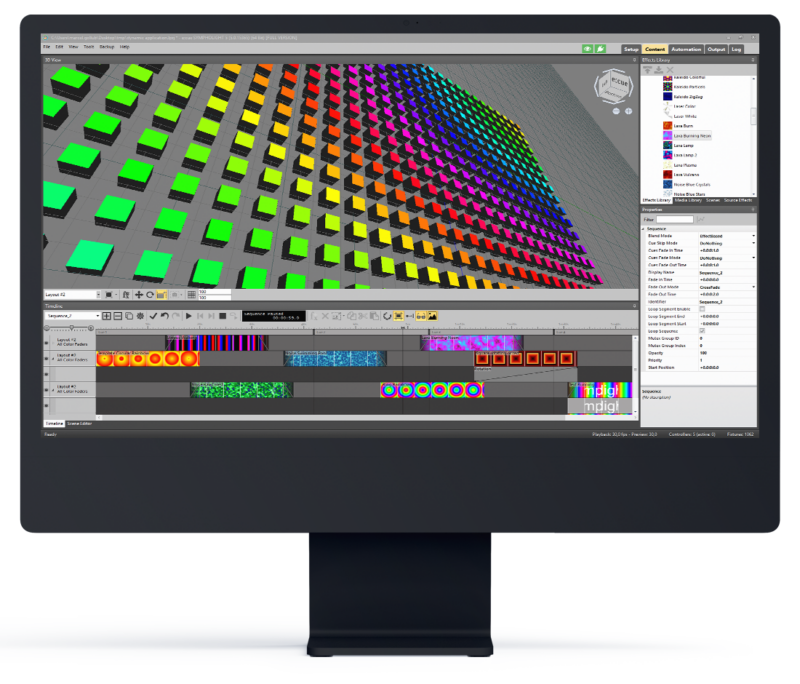
Dynamic Lighting Control

Create and interact with monochrome or dynamic coloured light scenes as never before. It is simple and flexible, like entry-level video editing software, but with powerful tools for any demanding application.

  • Setup and test from a single fixture to a complex matrix of fixtures
  • Manage content on the timeline unlimited sequences and cues
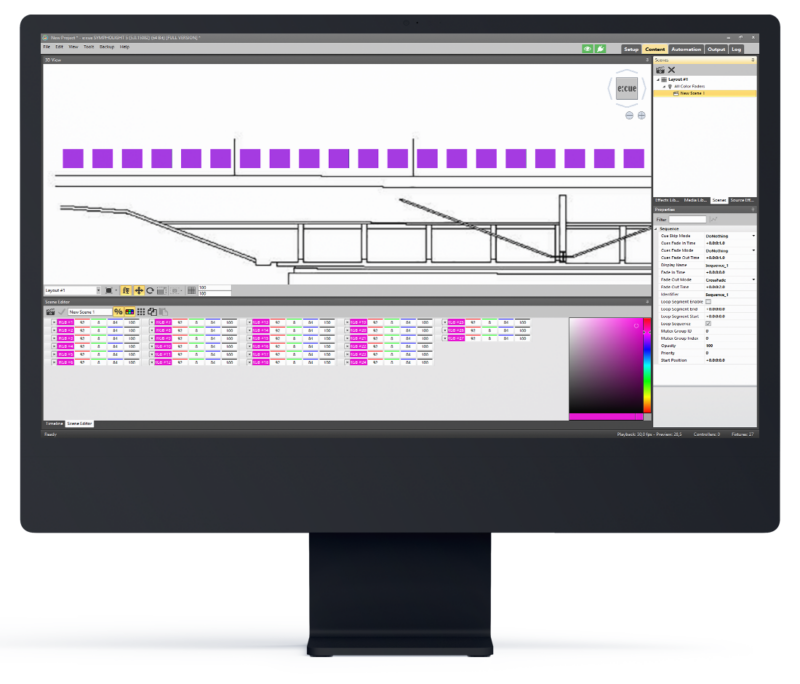
  • Create scenes with precise values and add them to the timeline
  • Stunning content effects already built in or design your own

Work Timeline Based!
Drag & drop, fade in & out, create cues and jump within trigger points. In line with your expectations!

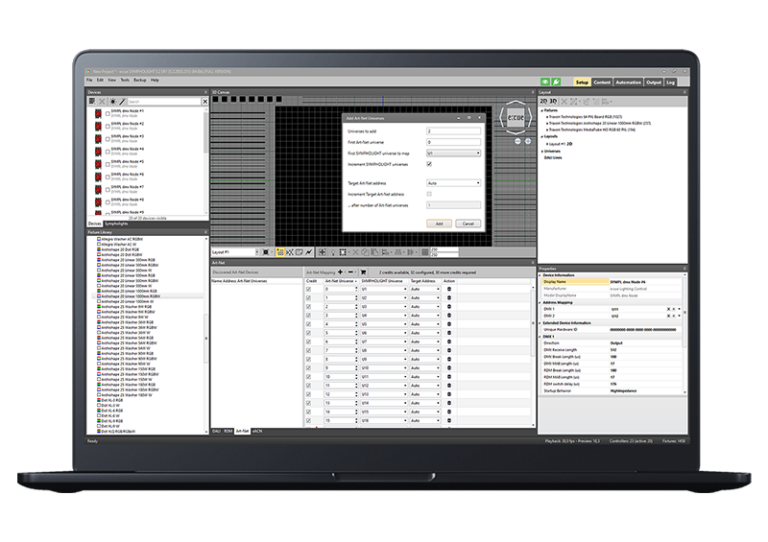
Patch the whole matrix!
Arrange single fixtures or create and setup a complex facade instantly, your project, your tool!

Blend with layers and key framing!
Create stunning layered effects with multiple blend modes.

Effects, scenes, and media files.
Select pre-built effects from the library or create your powerful effects. Not enough? Import and convert your existing Media. Content to pixels!

General Lighting Control

Color temperature, device monitoring or adaptive light adjustment – we provide sustainable solutions for the intelligent light of tomorrow.
Functional goes dynamic!

  • Powerful device handling for simpel to complex projects​. Sympholight scales with your needs!
  • Add your floorplans to multiple layouts and visualise your facility
  • Fast commissioning of all devices – simply edit ballast scenes
  • Enhanced testing functionality and easy device replacement
    Control DALI, DMX, relays, analog sensors and more
  • Support for the common types of DALI ballasts and DALI 2 input devices (sensors, couplers…)

100% DALI!
DALI, both DT6 or DT8, is easily handled. Monochrome, DW, RGB, and RGBW are supported. DALI 2 devices (input devices and ballasts) are, of course, also supported!

Interact!
Involve the environment – no matter if its daylight, motion, time or astronomic events. Create light curves based on daytime / daylight (HCL)!

Anywhere you like!
Prepare everything at any location, and map real devices with the powerful DALI manager. You can test entire lines or individual luminaires.

A better group!
Combine ballasts from different DALI lines into a group—they can be members of several groups…. or simply broadcast!

Quick and easy!

SYMPHOLIGHT provides complete functionality to enable a professional project setup. Good preparation is the key to success.

Start with a small setup and scale with your project demands – hassle-free. Commissioning with our tools and services will ensure a perfect running system in a timely manner.

  • Place and configure your devices in advance in offline mode or configure them live
  • Scale up your system from a single output device up to hundreds
  • Utilise various control protocols in one system. DMX, DALI, Serial and many more!
  • Fully automatic backup system in the event of failure
  • Automatic SYMPL controller replacement mode
  • Built in configuarable luminaire testing routines in the SYMPL controller range.

System expansion!
Scale with your needs. Using our network based SYMPL controller range, your project can start from a single output device up to hundreds!

Safe and reliable!
Our lighting system has been designed to run 24/7/365. We provide tools to monitor and inform in case of any failure. Utilising a backup device provides the best possible safety for a 100% redundant system.

Quick and easy!
Identify and/or add your SYMPL devices with just a fingertip. Advanced testing functions built in to the SYMPL device will make testing your luminaires on-site much easier.

Stay independent!
Reduce on-site hassle – prepare your project at your favorite place using offline devices and fixtures. Then, when you are on-site simply replace with your actual devices and fixtures.

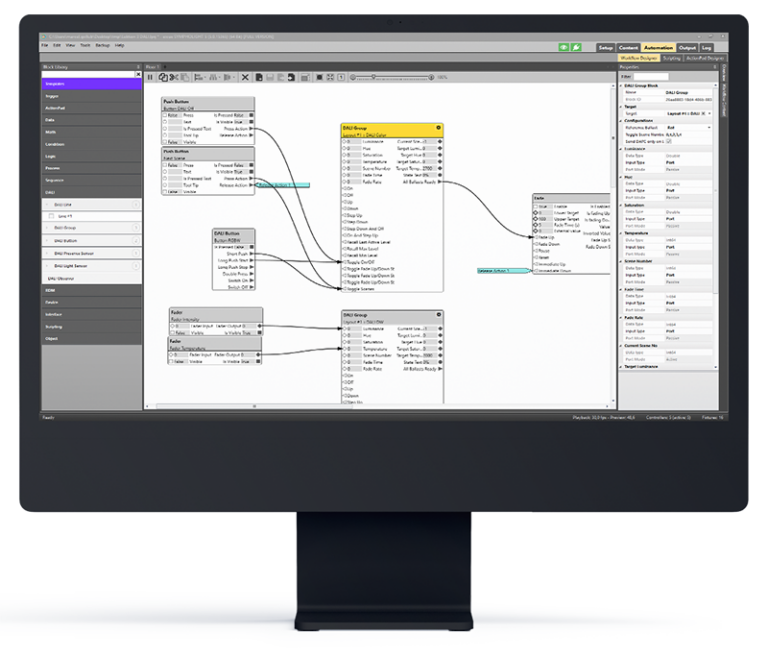
Possibilities like never before!​

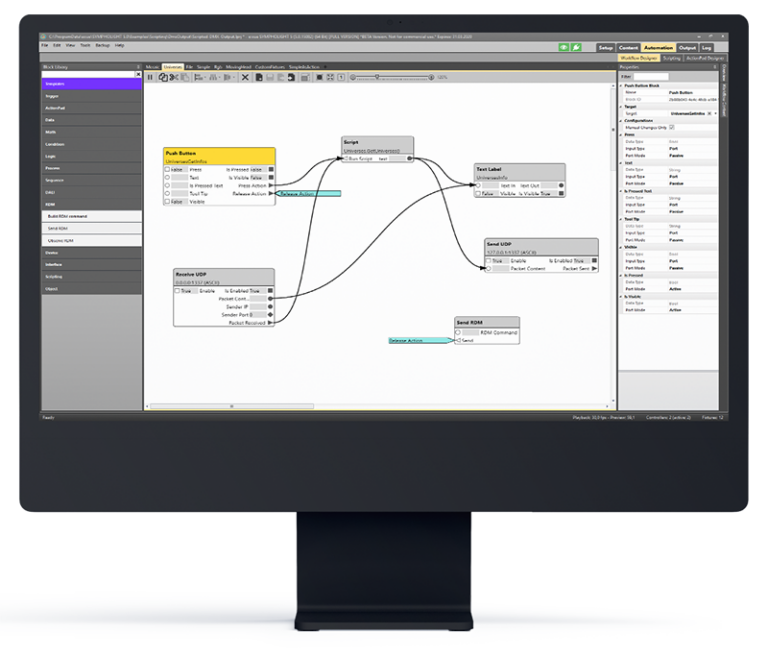
Visual programming within the workflow designer enables infinite possibilities to create smart logical workflows. This is the most powerful way to connect everything with everyone.

  • Visual programming to accomplish any project requirement
  • Create templates in the workflow designer for often used logical workflows – great for bigger multiroom projects
  • Interact with almost any environment to realise the most versatile projects!

All with everything!​

The modern world thrives on interconnected systems. SYMPHOLIGHT facilitates seamless integration with 3rd party devices, delivering a superior user experience.

  • Support multiple communication protocols​
  • Built in secure webserver with http and https 
  • Interact with almost any environment to realise the most versatile projects!

ActionPad Designer
is an easy to use tool to create ActionPad or website which allows interaction with your lighting installation. Everyone can have a dedicated control interface adapted to their own needs. For the best user experience on mobile devices, use the SymphoTouch App.

(REST) API & MQTT
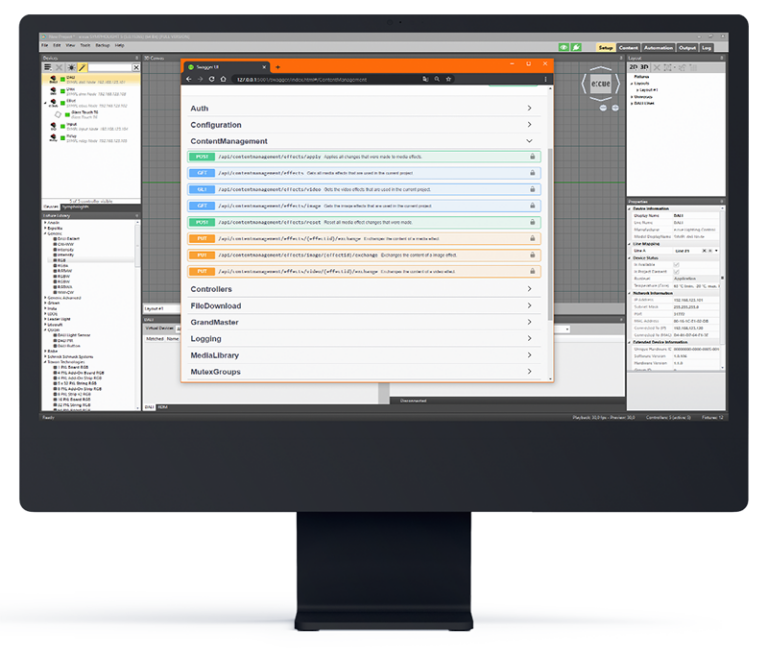
is the standard way to communicate with 3rd party systems. From a 3rd party system it is possible to start, stop, fade, monitor, view alerts or make content changes from one or more SYMPHOLIGHT instances via your local network or from the internet.

Experts – Scripting is for you!
Sometimes, writing your own script can solve tasks faster or enable additional functionality. With our inbuilt C# scripting-editor you can create your own functionality blocks – and then simply drop it into the workflow designer and connect it with other objects.

Sympholight has them all

Sympholight serves as the central hub, supporting all common protocols. In conjunction with the SYMPL Interface Family and gateways, it enables the control of virtually any luminaire and communication with any third-party system. Sensors and other input devices can be easily integrated as well.


DMX512

IR (GlassTouch) e:bus
RDM DALI2 Pixel (SPI)
E-Mail Digital IO Art-Net
e:net RS485 sACN
UDP RS232 MQTT
HTTP(s) e:pix Modbus (Genius)
REST e:pixEvo Analog
KNX (Gateway) BACnet (Gateway)  
Download latest Sympholight

Release Notes

General
• CHANGE: Significantly improved the performance of the logging system, which avoids problems e.g. on faulty RDM installations.

• CHANGE: Added the option to log detailed debug messages that might help at troubleshooting.

• FIX: In rare cases, Sympholight was unable to shut down properly.

• FIX: In some cases, RDM devices erroneously toggled between the online and offline state, although they were permanently present.

• FIX: Ordering dongle credits is now only possible if the current dongle is plugged in and detected correctly.

• FIX: Improved the stability of the REST API in case of external faulty Scheduler requests.

• FIX: In rare cases, the DALI engine crashed when setting certain DT8 ballast properties. Also further improved the stability of the DALI engine.


Setup

• FEATURE: The RDM view now shows the number of detected RDM devices for each controller.

• FIX: In some cases, having new e:cue products in the network causes the device list to be empty if the Sympholight version does not support the new device yet.

Content
• FEATURE: New timeline tracks for layout groups are no longer created automatically, which saves space, improves the usability and increases performance.

Workflow Designer
• FEATURE: Added a “Counter” port to the Periodic Trigger block, which delivers the number of triggers since the last reset.

• FIX: The values of SYMPL input Nodes were not considered after loading the project. This caused displaying wrong values and missing underflow/overflow events on project load. Value changes after loading the project were not affected.

ActionPad
• FEATURE: The page index that can be used in the URL to directly jump to the desired ActionPad page is now a persisted property and does not change if other pages with lower indices are deleted. Thus, the link is kept intact.

• CHANGE: Updated the list of available screen resolutions to more generic and more up-to-date values.

• CHANGE: The border which indicates the target device resolution is now better visible.

• FIX: The text padding of ActionPad labels and buttons is no longer reset unintentionally when the user moves or resizes the button/label.

• FIX: In rare cases, a white border was shown right to and below the ActionPad page when using the SymphoTouch app.

• FIX: In some cases, duplicating an ActionPad page did not create

Version: 5.4.4609
Release: 12.09.2024

  Sympholight 5.4 SR1 Windows
  Sympholight Update 5.4 SR1 Windows
  Sympholight Web Update 5.4 SR1 Core S & Sp
  Sympholight USB Update 5.4 SR1 Core S & Sp
  Sympholight SD Card Image 5.4 SR1 Core S & Sp
     
  Sympholight Manual v5.4
Manual
  Update Instructions Core S & Sp English Manual
  Update Anleitung Core S & Sp Deutsch Manual
  Eula & License Disclosure Legal
  Tender Text Tender
  Alpine Linux Sources
  Arch Linux Linux Sources


Minimum configuration

  • Microsoft® Windows® 10
  • Internet Explorer 10 or higher
  • 8 GB RAM
  • A minimum of 20 GB hard disk space
  • Dual-Core processor
  • DirectX9 supported graphics adapter
  • A minimum of one Ethernet interface

Get in Touch Today!

Looking for more information on Traxon e:cue lighting fixtures and controls,
or need assistance in a specific region?